HomeSite Guide
How to update
HomeSite.
HomeSite normally keeps itself current. Here is what to expect on mobile and desktop, and how to update the installed desktop web app.
Automatic updates
Mobile website
Nothing to do
The website automatically loads the latest version of HomeSite when you visit it.
Mobile installed web app
Nothing to do
The installed mobile web app automatically loads the latest version. No update steps are required.
Desktop website
Nothing to do
The desktop website automatically loads the current version of HomeSite when opened.
Desktop installed web app
Update in two steps
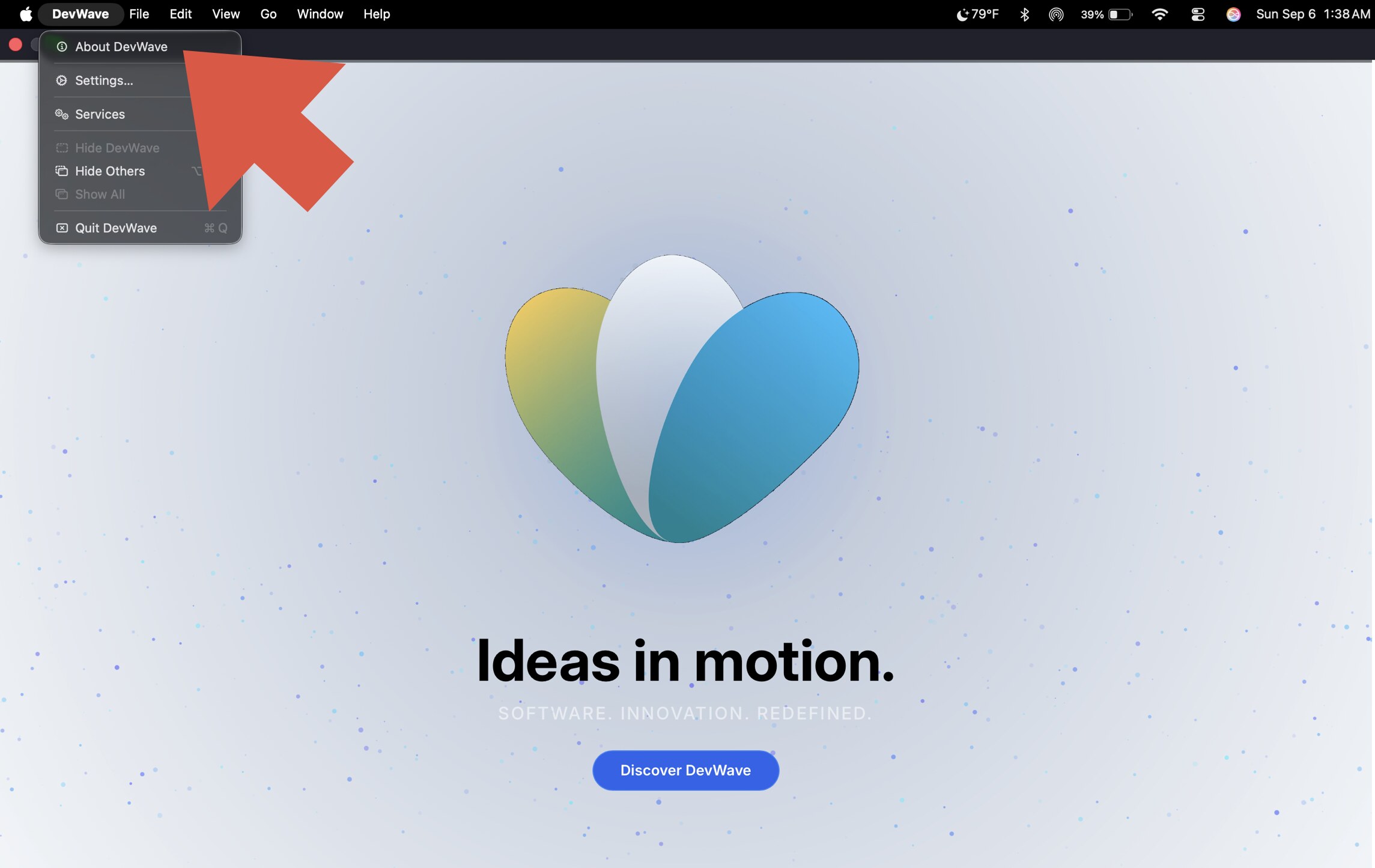
Step 01
Open About DevWave
From the menu bar in the installed desktop web app, select DevWave, then choose About DevWave.
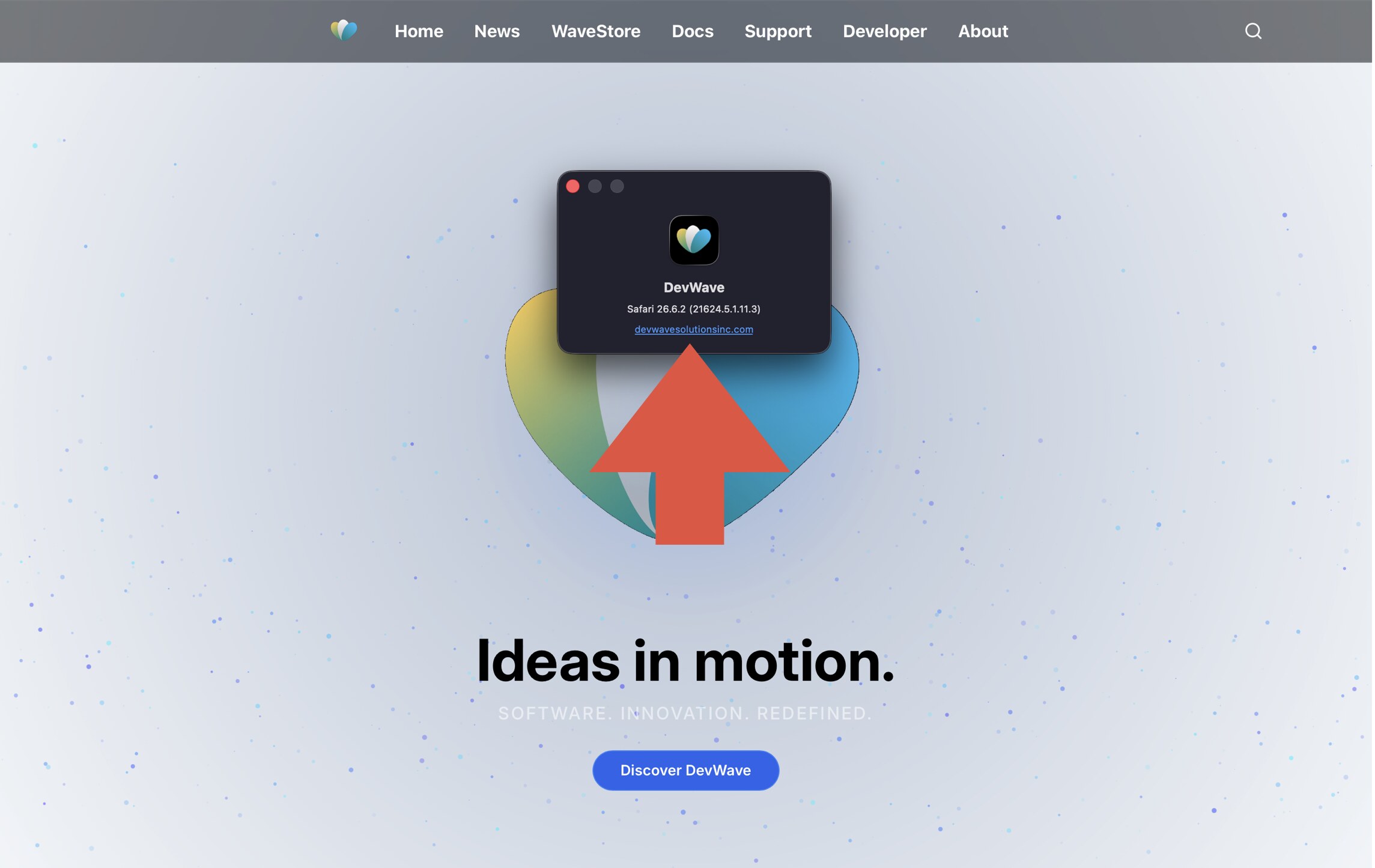
Step 02
Open the HomeSite link
In the About DevWave window, select the devwavesolutionsinc.com link. The current version of HomeSite will load automatically.